Namecheap Outage 2026: What Happened?
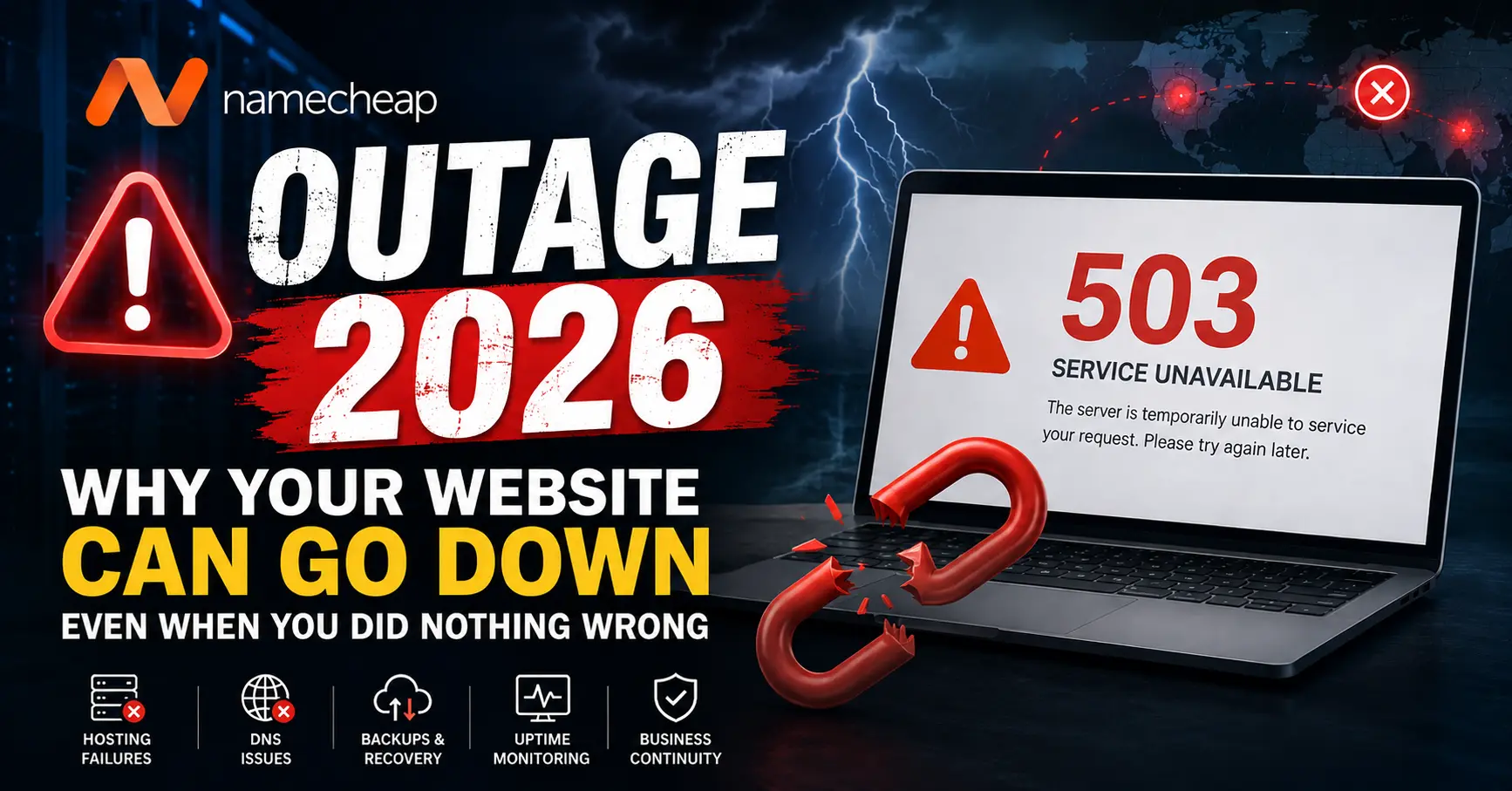
On August 13, 2026, a major infrastructure outage affected Namecheap and a number of its services, leaving many customers unable to access their websites, domains, DNS management, email and other online services.
According to Namecheap's official service update, the incident was caused by a cooling-system failure at the RadiusDC Phoenix data center. The data center instructed Namecheap to take affected services offline to protect infrastructure from overheating and potential hardware damage. Namecheap subsequently restored its services progressively and confirmed that services were fully restored on August 14, 2026.
The incident is a strong reminder that even when a business owner has done everything correctly, a website can still become unavailable because of an infrastructure problem somewhere outside the business owner's direct control.
And that raises a bigger question:
What happens to your business when your website, DNS, email or hosting provider suddenly goes offline?
Why the Namecheap Outage Matters to Businesses
For many businesses, a website is no longer just an online brochure. It may handle enquiries, bookings, payments, customer communication, lead generation, product sales, support and even internal business operations.
When the website goes offline, the impact can therefore extend far beyond a temporary technical error.
A hosting outage can potentially affect:
- Website availability
- Online enquiries and lead generation
- E-commerce transactions
- Customer bookings
- Business email
- DNS resolution
- Online forms
- APIs and third-party integrations
- Customer support
- Website analytics
- SEO crawling and indexing
- Brand reputation
The Namecheap incident demonstrates why businesses should think about website resilience, rather than simply asking which hosting provider is cheapest or fastest.
What Caused the Namecheap Outage?
Namecheap stated that the outage was caused by a failure of the cooling system at its Phoenix data center.
Data centers contain large amounts of computing equipment that generate significant heat. Cooling systems are therefore a critical part of keeping servers operational.
When cooling infrastructure fails and temperatures rise beyond safe operating levels, continuing to operate servers can create a risk of permanent hardware damage.
In this situation, the affected infrastructure was taken offline while teams worked to stabilize the environment and safely restore services.
This is an important technical lesson: not every outage is caused by a hacked website, broken code or something the website owner did incorrectly.
Sometimes the failure occurs several layers below the website itself.
Your Website Can Go Down Even When You Did Nothing Wrong
This is perhaps the biggest lesson from the Namecheap outage.
A business owner may have:
- A properly developed website
- Valid SSL certificates
- Secure passwords
- Updated software
- Working databases
- Optimized website code
- Regular maintenance
And the website can still go offline if the infrastructure hosting it becomes unavailable.
The modern web depends on multiple interconnected layers.
A simplified website request looks something like this:
User ? DNS ? Hosting Infrastructure ? Web Server ? Application ? Database ? Third-Party Services
If any critical dependency fails, the website may stop working correctly.
Hosting Is Only One Part of Website Availability
Many website owners assume that if their hosting server is running, their website will automatically be available.
That is not always true.
Your website may depend on several separate systems, including:
- Domain registrar
- DNS provider
- Hosting provider
- Web server
- Database server
- Email provider
- CDN
- SSL certificate authority
- Payment gateway
- External APIs
- Cloud storage
- Third-party authentication systems
If one of these becomes unavailable, part or all of the website experience may be affected.
Why DNS Can Be Just as Important as Hosting
DNS, or Domain Name System, is often described as the phonebook of the internet.
When someone types your domain name into a browser, DNS helps determine where that domain should connect.
This means that a website can technically be running on a server while users are still unable to reach it if the DNS layer is unavailable or incorrectly configured.
This is why businesses should not think about uptime only from a hosting perspective.
Website availability is an ecosystem, not a single server.
What Happens to Your Business When a Website Goes Down?
The immediate impact depends on the type of website and how long the outage lasts.
1. Lost Leads
If customers cannot open your website or submit an enquiry form, potential leads may simply move to a competitor.
2. Lost Sales
For e-commerce websites, even a short outage can prevent customers from completing purchases.
3. Booking Problems
Businesses that depend on online bookings, appointments or reservations may lose valuable business opportunities.
4. Email Communication Issues
If business email is dependent on the affected infrastructure, communication with customers, suppliers and employees may also be disrupted.
5. Customer Trust
When customers repeatedly see error pages or an inaccessible website, they may question whether the business is reliable.
6. Operational Disruption
Modern websites are often connected to CRM systems, payment systems, inventory platforms, APIs and internal tools. An outage can therefore affect more than the public-facing website.
Can a Hosting Outage Affect SEO?
Yes, potentially.
Search engines need to access your website in order to crawl and understand its pages.
A short, isolated outage does not automatically mean that a website will lose its rankings. However, prolonged or repeated availability problems can create SEO concerns.
Potential consequences include:
- Failed crawler requests
- Temporary inability to access important pages
- Server errors such as 5xx responses
- Delayed crawling
- Reduced user experience
- Potential loss of traffic if downtime becomes prolonged
This is why website uptime should be considered part of a broader technical SEO strategy.
What Does a 500 Error Have to Do With Hosting Outages?
A 500 Internal Server Error generally indicates that something went wrong on the server while processing a request.
However, not every 500 error has the same cause.
It could be related to:
- Application code
- PHP or Node.js errors
- Database failures
- Server configuration
- Resource limitations
- Infrastructure problems
- Dependency failures
Other outage-related responses may include 502 Bad Gateway, 503 Service Unavailable or 504 Gateway Timeout.
The important point is that seeing an error does not automatically mean that your website code is broken.
Why Backups Are Not Optional in 2026
One of the biggest lessons from any major hosting outage is the importance of maintaining independent backups.
A backup stored on the same infrastructure as your live website is not a complete disaster-recovery strategy.
If the hosting environment becomes unavailable, you may also lose access to the backup.
A better strategy is to maintain backups independently from the primary hosting environment.
Depending on the website, backups may include:
- Website files
- Database
- Uploaded media
- Configuration files
- Environment settings
- DNS records
- Email-related configuration
For business-critical websites, backups should also be tested.
A backup that has never been restored is only an assumption.
Backup vs Disaster Recovery: They Are Not the Same
A backup gives you a copy of your data.
Disaster recovery gives you a plan for getting the business operational again.
For example:
Backup: �We have a copy of the website database.�
Disaster Recovery: �If our primary hosting provider becomes unavailable, we can deploy the website to another environment, restore the database, update DNS and resume operations.�
For businesses that depend heavily on their website, the second approach is much more valuable.
Should Businesses Use Multiple Hosting Providers?
Not every website needs multiple hosting environments.
A small informational website may not justify the additional cost and complexity.
However, businesses that depend heavily on online availability should evaluate whether they have a single point of failure.
For example, if your domain, DNS, hosting, database and email all depend on the same provider or infrastructure, a single incident could affect several parts of your digital operation simultaneously.
Depending on business requirements, resilience strategies may include:
- Independent DNS infrastructure
- Off-site backups
- Secondary hosting environments
- Cloud-based disaster recovery
- CDN and caching
- Uptime monitoring
- Documented recovery procedures
Do You Need a Backup Website?
For every business, the answer will be different.
A simple portfolio website may not need an active secondary website.
But consider a business that depends on its website for:
- Online bookings
- Payments
- Lead generation
- Customer support
- Online orders
- Business-critical communication
For such businesses, having a recovery strategy can be extremely valuable.
The goal is not necessarily to maintain an expensive duplicate website at all times. The goal is to ensure that your business has a practical way to recover when the primary infrastructure fails.
Uptime Monitoring: Know About the Problem Before Your Customers Do
Another important lesson is the value of uptime monitoring.
Without monitoring, a business owner may discover an outage only after a customer sends a message saying:
�Your website is not opening.�
Uptime monitoring can automatically check important URLs and notify the responsible team when a website becomes unavailable or starts returning unexpected responses.
Monitoring can be configured for:
- Homepage availability
- Important landing pages
- Login pages
- Booking systems
- API endpoints
- SSL certificate expiry
- Response time
- HTTP status codes
This turns website uptime from something you discover manually into something you actively monitor.
What Every Business Should Check After a Hosting Outage
If your website was affected by a major infrastructure outage, do not assume that everything is automatically fine simply because the homepage is loading again.
Run a complete post-outage check.
- Open the homepage
- Check important service pages
- Test contact forms
- Test login systems
- Test booking functionality
- Test checkout and payment flows
- Check database-driven pages
- Check APIs and integrations
- Test business email
- Verify DNS records
- Check SSL certificate status
- Review server error logs
- Check website analytics
- Check Google Search Console for crawling issues
What Should Businesses Ask Their Hosting Provider?
The Namecheap outage is also a good reason to ask your hosting provider some basic infrastructure questions.
- Where is my website hosted?
- What happens if the primary data center becomes unavailable?
- Are backups stored separately?
- How frequently are backups created?
- How long are backups retained?
- Can backups be restored to another environment?
- What uptime monitoring is available?
- What is the disaster recovery process?
- How quickly can infrastructure be restored?
- What happens to DNS if the primary infrastructure fails?
- Is there a documented recovery process?
Cheap Hosting vs Reliable Hosting: What Should You Actually Compare?
Price is important, but it should not be the only factor when choosing hosting for a business website.
Businesses should evaluate hosting based on:
- Infrastructure reliability
- Performance
- Security
- Backup strategy
- Scalability
- Support
- Monitoring
- Recovery options
- Server resources
- Data center strategy
A low monthly hosting cost may look attractive until website downtime starts affecting leads, sales and customer trust.
The cheapest hosting plan is not necessarily the cheapest option for a business.
What Small Businesses Can Do Right Now
You do not need a large IT department to improve website resilience.
Start with these practical steps:
- Maintain regular backups. Keep copies outside your primary hosting environment.
- Enable uptime monitoring. Know when your website becomes unavailable.
- Document your DNS configuration. Keep important records accessible.
- Know where your domain is registered. Do not let ownership and access information become unclear.
- Maintain administrator access. Keep recovery credentials secure and available to authorized personnel.
- Test your backups. Make sure they can actually be restored.
- Monitor SSL certificates. Expired certificates can make a perfectly healthy website appear broken.
- Have an emergency contact process. Know who will handle the website if an outage occurs.
What Website Owners Often Get Wrong
One common mistake is assuming that a website is completely protected simply because it has an SSL certificate, antivirus software or a backup plugin.
Security and availability are related, but they are not the same thing.
A website can be secure and still be unavailable.
A website can have backups and still have no recovery plan.
A website can be hosted on a powerful server and still depend on a single DNS provider.
Real resilience requires looking at the entire digital infrastructure.
The Bigger Lesson From the Namecheap Outage
The Namecheap incident should not simply be viewed as a story about one hosting provider going offline.
It is a reminder of a much larger principle in technology:
Every system has dependencies, and every critical dependency can become a potential point of failure.
Data centers can experience infrastructure problems. Cloud platforms can experience outages. DNS providers can experience failures. Software can contain bugs. Networks can fail. Power systems can be disrupted.
The objective is not to create a system that can never fail.
That is unrealistic.
The objective is to create a system that can detect failure, limit its impact and recover quickly.
How VAIR IT Helps Businesses Build More Reliable Websites
At VAIR IT, we believe a business website should be treated as an important part of the company's digital infrastructure, not simply as a collection of web pages.
Our approach to website development and maintenance considers multiple areas, including:
- Website performance
- Security
- Responsive design
- SEO-friendly architecture
- Database management
- Backup planning
- Hosting configuration
- Monitoring
- Maintenance
- Business continuity requirements
For businesses where downtime can directly affect revenue, we can also help evaluate hosting architecture, backup requirements, monitoring and recovery options based on the website's actual business needs.
The right solution is not always the most expensive infrastructure. It is the infrastructure that provides an appropriate balance between performance, reliability, security, scalability and cost.
Final Takeaway: Your Website Is a Business Asset
The 2026 Namecheap outage is a useful reminder that website downtime is not always caused by something a business owner did wrong.
Sometimes the problem can occur at the infrastructure level, far beyond the website's code.
That is why businesses should prepare for the possibility of failure instead of assuming that failure will never happen.
A reliable digital presence should include more than a website.
It should include:
- Reliable hosting
- Independent backups
- DNS planning
- Uptime monitoring
- Security practices
- Recovery procedures
- Regular maintenance
- A clear person or team responsible for response
Your website may be online today. The real question is: what happens if it isn't online tomorrow?
The businesses that answer that question before an outage are usually in a much stronger position than those trying to create a recovery plan after the outage has already happened.
Frequently Asked Questions
Why was Namecheap down in August 2026?
Namecheap said the August 13, 2026 outage was caused by a cooling-system failure at the RadiusDC Phoenix data center. Services were taken offline to protect infrastructure from overheating, and Namecheap subsequently restored services progressively.
Was every website on the internet affected by the Namecheap outage?
No. The outage affected Namecheap's infrastructure and services and customers depending on those services. It did not mean that every website on the internet was offline.
Can a website go down even if the website code is working perfectly?
Yes. Hosting infrastructure, DNS, networking, databases, data centers and third-party services can all affect website availability even when the website's application code itself is functioning correctly.
Can website downtime affect SEO?
Short outages do not automatically cause permanent ranking losses. However, prolonged or repeated downtime can create crawling, indexing, user-experience and traffic-related problems.
Are website backups enough to protect a business?
Backups are essential, but they are only one part of disaster recovery. Businesses should also know where backups are stored, how they can be restored and how the website can be brought back online if the primary hosting environment becomes unavailable.
Should every business have backup hosting?
Not necessarily. The right approach depends on how important the website is to the business, the cost of downtime, technical requirements and available budget. Business-critical websites should at least evaluate their recovery options and potential single points of failure.
How can I protect my website from hosting outages?
You cannot prevent every infrastructure outage, but you can reduce its impact through independent backups, uptime monitoring, appropriate DNS architecture, documented recovery procedures and a hosting strategy that matches your business requirements.
Stay Prepared, Not Surprised
The Namecheap outage may be resolved, but the lesson remains relevant to every website owner.
Don't wait for your website to go down before asking how you will recover it.
Build the recovery plan while everything is working.
Need help reviewing your website hosting, backups, security or maintenance setup? Talk to the VAIR IT team and evaluate whether your current website infrastructure is ready for unexpected downtime.
Source: Namecheap's official service outage update published August 14, 2026.